 Nut Studio
 Explore
 What's New


Best Luma AI Alternative
Nut Studio is an all-in-one AI video creation tool that combines advanced models like Veo 3 and Kling, making it the most practical Luma AI alternative.

Luma AI is an AI tool that turns text or images into short videos. Many creators use it for image-to-video and cinematic-style clips. I started using Luma AI for the same reason, but after some time, I realized it does not work well for every situation.
In real use, Luma AI has several limits. The free version is restricted, video generation can be slow, and results are not always consistent. Because of these issues, I began looking for a Luma AI alternative that is faster, easier to use, or more flexible.
In this article, I share the best Luma AI alternatives I tested, explain whether Luma AI is free, and show when I use Luma AI vs other tools.
In this article:

Best 7 Luma AI Alternatives in 2026
Based on my testing, the best Luma AI alternatives include Nut Studio, Veo, Hailuo, Runway, Kling, Sora, and Stability AI, especially if you’re looking for free or faster options.
Each of these tools takes a different approach to AI video generation, and some work better than Luma AI in specific use cases.
Luma AI vs Best Luma AI Alternatives Comparison
| Tool | Model(s) | Key Features | Best Use Case | Free Trial | Pricing |
|---|---|---|---|---|---|
| Luma AI | Luma proprietary model | AI video generation | Creative experiments, short cinematic clips | No | $29.99 / month |
| Nut Studio | Google Veo, Kling, PixVerse, Vidu | AI video generation, AI image generation, AI chat | Daily video creation, fast testing, flexible workflows | Yes | $14.99 / month |
| Veo 3 | Google Veo 3 | AI video generation | Professional, cinematic video quality | No | $19.99 / month |
| Kling | Kling proprietary model | AI video generation, AI image generation | Smooth motion, realistic scenes | Yes | $25.99 / month |
| Sora | OpenAI Sora model | AI video generation | Technology benchmark, high-end concepts | No | $19 / month |
| Runway | Gen-4.5 | AI video generation, AI editing | Professional workflows, creative control | Yes | $15 / month |
| Hailuo | MiniMax video model | AI video generation, AI image generation | Professional workflows, creative control | Yes | $34.99 / month |
| Stability AI | Stability video models | AI video generation, AI image generation | Advanced users, custom workflows | Yes | $20 / month |
1Nut Studio - All-in-One AI Creation Studio for Images, Videos
Nut Studio is the Luma AI alternative I use most often. The main reason is flexibility. Instead of relying on one model, Nut Studio supports multiple advanced video models, including Veo 3, Kling, Vidu, and PixVerse. This makes it easier for me to test different styles and choose the best result for each project.
In terms of speed, Nut Studio performs very well. Video generation is usually fast, and the success rate is high. I rarely need to rerun the same prompt multiple times, which saves a lot of time compared to Luma AI. The overall video quality is also strong, especially when I use clear prompts.
Another reason I recommend Nut Studio as a free Luma AI alternative is the trial experience. New users can get free credits after signing up, which makes it easy to test video generation without committing to a paid plan.
Nut Studio
Nut Studio is an all-in-one AI video creation tool that combines advanced models like Veo 3 and Kling, making it the most practical Luma AI alternative.
Prompt: A cinematic shot of a futuristic city at sunset, smooth camera movement, realistic lighting, detailed textures, natural motion, high-quality video
Pros

- Faster generation and higher success rate
- Multiple built-in video models (Veo 3, Kling, PixVerse, Vidu)
- Free credits for testing
Cons

- Not all video models are available yet
2Veo 3 - Advanced AI Video Model by Google
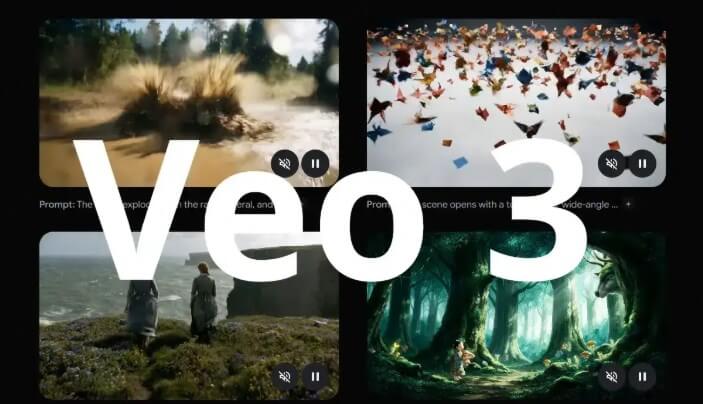
Veo 3 is a powerful alternative to Luma AI that focuses on video quality rather than speed. Because it is developed by Google, I trust its output quality and long-term product updates.
From my experience, Veo 3 generates high-quality videos that are suitable for professional creators. Motion is smooth, scenes are consistent, and the final result often looks more polished than what I get from Luma AI.
However, Veo 3 is not very accessible. Full video generation usually requires a subscription, and generation speed is slightly slower than Luma AI.
Pros
- Higher video quality
- Backed by Google with strong model updates
Cons
- Subscription required
- Slower generation speed
3Kling - Strong Motion and Realism, but Limited Access

Kling is a high-quality Luma AI alternative that I mainly use for text-to-video generation. What stands out to me is motion quality. Compared to Luma AI, videos generated by Kling feel more stable, and object movement looks more natural.
However, it can sometimes drive me crazy if your instructions are unclear - though I suspect it might be a problem with the model itself - because it generates something completely different from what I want. Additionally, some users have complained about their terrible customer service.
Pros
- Better motion realism
- Cleaner scene transitions
Cons
- The generation speed is slow
- Poor customer service quality
4Sora - Impressive Technology, Not a Daily Tool

Sora is one of the most advanced Luma AI alternatives, but I do not treat it as a practical replacement. From a technical point of view, the video quality is impressive, especially for complex prompts and long scenes.
Compared to Luma AI, Sora handles structure and motion much better. Scenes feel planned instead of random. That said, access is still very limited, which makes it hard to use in real projects.
For me, Sora works more as a benchmark than a daily alternative to Luma AI. It shows what AI video generation can achieve, but it is not yet practical for regular use.
Pros
- Handles complex prompts well
- Strong scene consistency
Cons
- Very limited access
- Not suitable for daily workflows
5Runway - More Control, More Complexity
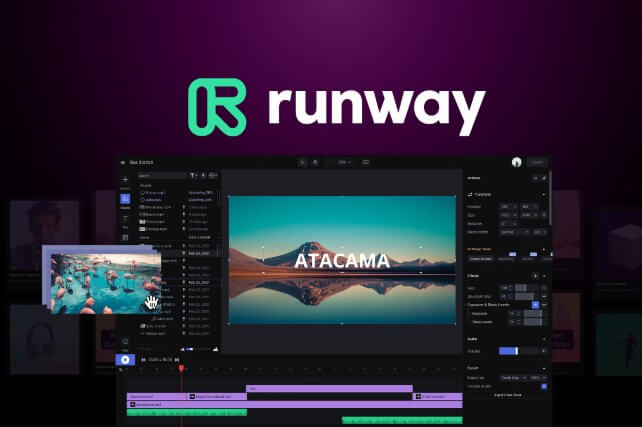
Runway is a popular Luma AI alternative that focuses on creative control. I use it when I need more editing options and a structured workflow.
Compared to Luma AI, Runway gives me more tools to adjust and refine videos. This makes it useful for professional projects. However, it also means more setup and a steeper learning curve.
Runway is not the fastest option, and it is not ideal for quick tests. I choose it when I want control, not speed.
Pros
- More creative and editing controls
- Better for complex projects
Cons
- Slower and more complex
- Not beginner-friendly
6Hailuo - Stable Cinematic Output
Hailuo is developed by MiniMax and works as a solid Luma AI alternative for cinematic video generation. In my experience, it produces stable motion and well-structured scenes.
Compared to Luma AI, Hailuo feels more controlled. The output is less random, especially in short cinematic clips. However, the platform is still growing, and global access can be limited.
Pros
- More stable motion
- Better scene structure
Cons
- Limited availability
- Smaller ecosystem
7Stability AI - Flexible Models, More Setup Required
Stability AI offers flexible video models that can work as a Luma AI alternative for users who want more control. I include it because of its strong model foundation and customization options.
Compared to Luma AI, Stability AI gives me more freedom, but it also requires more setup. The results depend heavily on the model and configuration I choose.
Pros
- More customization
- Strong model foundation
Cons
- Requires more setup
- Output quality varies by model

Quick summary
Across all these tools, I do not see a single perfect replacement for Luma AI. Instead, each Luma AI alternative works better in specific situations. That is why Nut Studio remains my main choice, while others fill more specialized roles.
Is Luma AI Free?
No. Luma AI does not offer a real free trial for normal video generation. There is no unlimited free plan that lets me freely test image-to-video or text-to-video features.
In practice, most useful video generation features require a paid plan or usage credits. This makes it hard to fully test Luma AI before subscribing. For creators who just want to try things out, this is often frustrating.
So while Luma AI is a powerful tool, it is not truly free, and this is one of the main reasons why many users, including me, start looking for a Luma AI alternative, especially free or easier options for testing.
How I Choose Between Luma AI and Its Alternatives?
I do not see Luma AI as a bad tool, but I also do not use it as my default option. Over time, I learned when Luma AI makes sense and when alternatives work better.
I use Luma AI mainly to test its specific cinematic style or explore creative ideas. For short experiments, it can still produce interesting results.
However, I switch to Luma AI alternatives when I need faster generation, higher success rates, or easier access.
For daily image-to-video tasks and quick testing, tools like Nut Studio save me a lot of time.
When video quality and realism matter more, I choose models like Veo 3 or Kling.
If I need more control over editing, I use Runway.
When flexibility and customization are important, I look at Stability AI.
In short, I treat Luma AI as one option, not the default. For most real-world workflows, Luma AI alternatives are simply more practical.
FAQs
Is Luma AI safe to use?
Based on my use, Luma AI is generally safe to use as a mainstream AI video tool. However, like many platforms, you still need to check usage limits and content rights. If safety and flexibility matter, some alternatives to Luma AI offer clearer workflows and easier testing.
What is the best free Luma AI alternative?
If you want to test video generation without paying upfront, Nut Studio is the best free Luma AI alternative I have used. New users get free credits after signing up, which makes it easy to try image-to-video and text-to-video features before upgrading.
Which Luma AI alternative has the best video quality?
For pure video quality and realism, models like Veo 3 and Kling often perform better than Luma AI. I use them when visual quality matters more than speed or cost.
However, because Nut Studio integrates both Veo 3 and Kling, it becomes my top recommendation overall. Instead of choosing one model, I can test both inside the same platform and pick the best result. For me, this makes Nut Studio the most practical Luma AI alternative for high-quality video generation.
Conclusion
I do not see Luma AI as a bad tool, but I also do not see it as the default choice anymore. It lacks a real free trial, and many useful features require payment before I can fully test them.
For most real-world workflows, Luma AI alternatives are more practical. Nut Studio works best for daily video generation. Veo 3 and Kling are better when I care about quality. Runway gives me more control, and Stability AI offers flexibility.
In short, I treat Luma AI as one option among many. If you want faster results, better access, or stronger video quality, choosing the right Luma AI alternative will save you time and effort.


Aaron brings over a decade of experience in crafting SEO-optimized content for tech-focused audiences. At Nut Studio, he leads the blog’s content strategy and focuses on the evolving intersection of AI and content creation. His work dives deep into topics like large language models (LLMs) and AI deployment frameworks, turning complex innovations into clear, actionable guides that resonate with both beginners and experts.
-
[2025 Guide] How to Prompt for Speaking in Veo 3: Tips and Examples
Learn how to prompt for speaking in Veo 3 with clear tips, real fixes for audio bugs, and expert ways to get better voice results in your AI videos.
10 mins read -
13+ Life like VEO 3 Video Prompts [2026 Guide]
Unlock the full potential of Veo 3. Copy and paste these ultra-realistic video prompts to create cinematic AI footage. Includes examples for nature, portraits, sci-fi and anime.
10 mins read -
Best Chinese Image to Video AI Generators in 2026: Top Models Compared
Compare top Chinese image‑to‑video AI generators. Discover their innovations, pricing value, workflows, creative cases, and how to use them to level up your projects.
10 mins read


Was this page helpful?
Thanks for your rating
Rated successfully!
You have already rated this article, please do not repeat scoring!